
Option 1
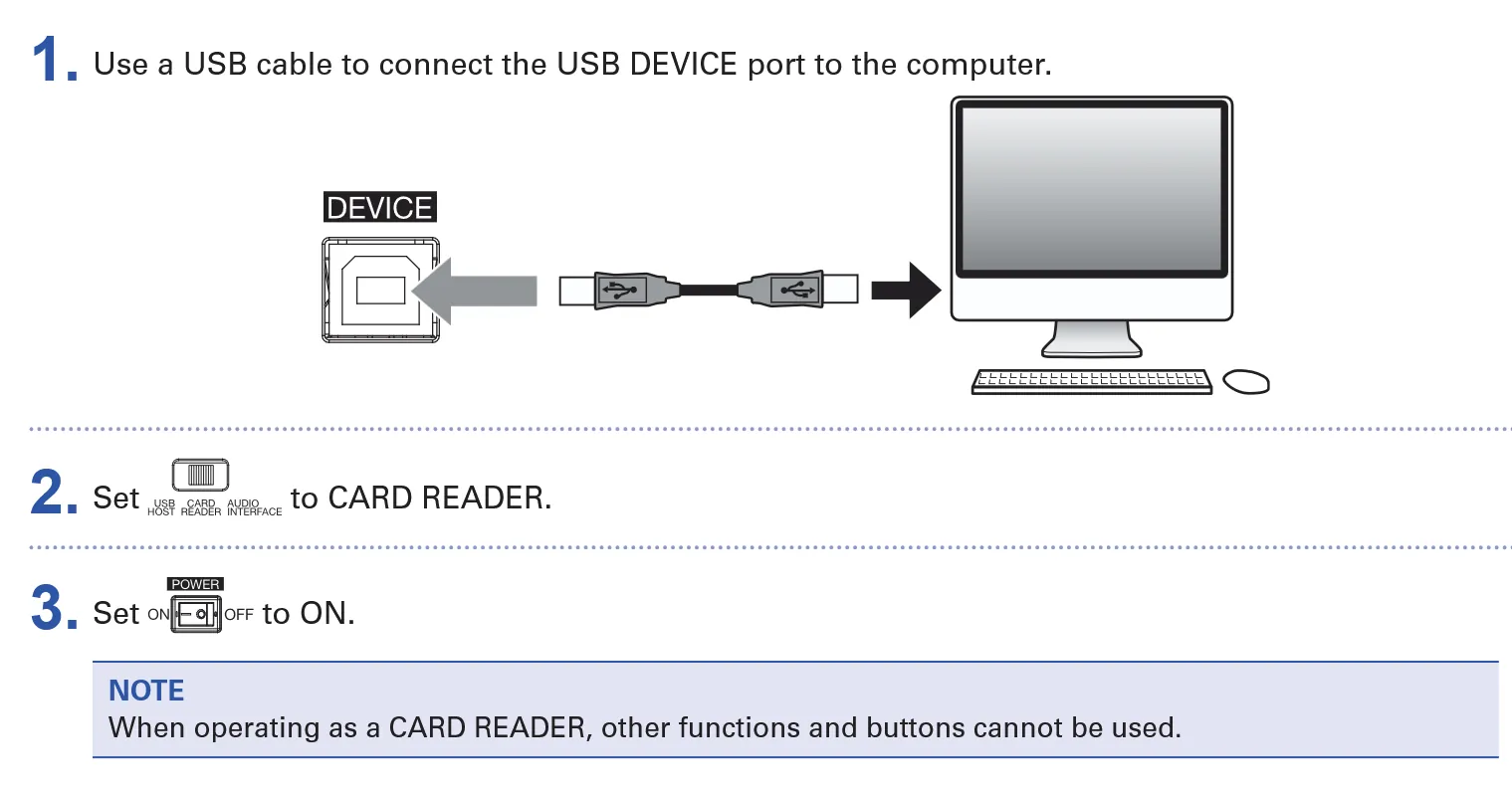
Card reader
- Bring your own laptop.
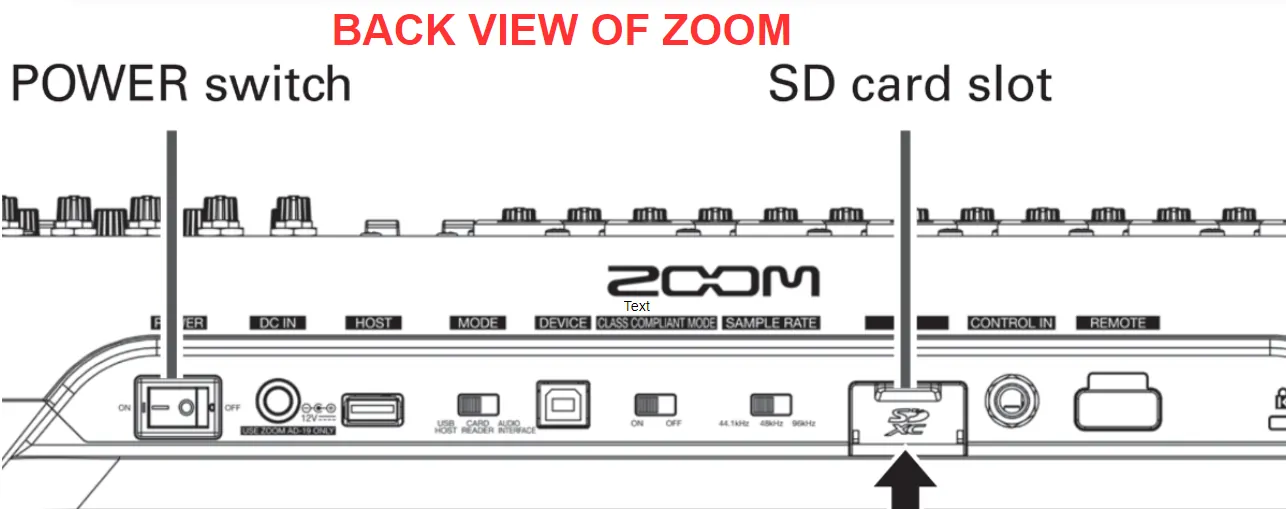
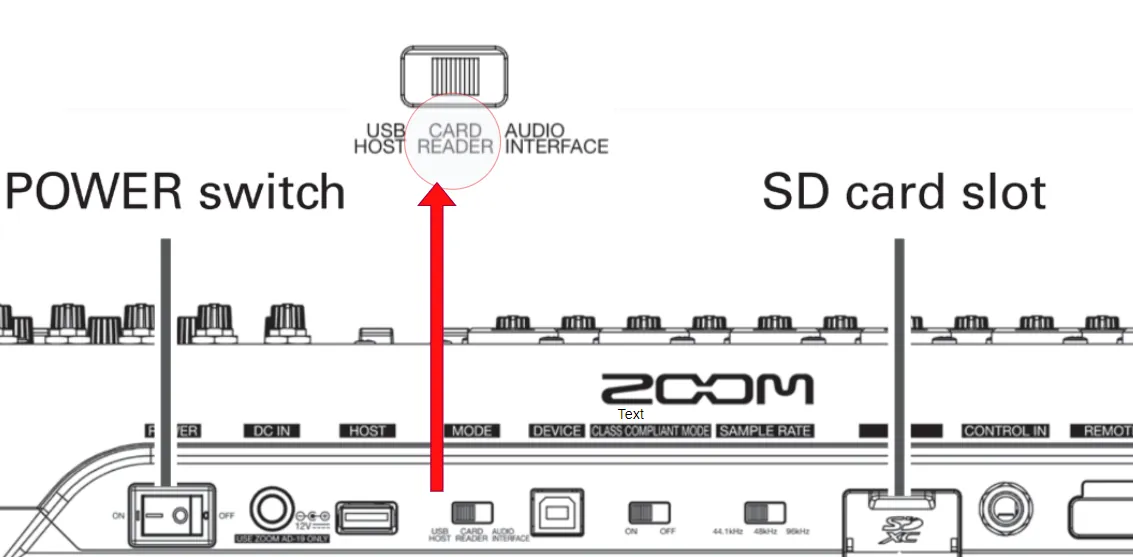
- POWER DOWN the Zoom mixer and take out the SD card.
- Use our card reader to copy the files to your laptop.
- PLACE the SD card back into the mixer.
Open daily, 12pm – 12am
D.I.Y recording
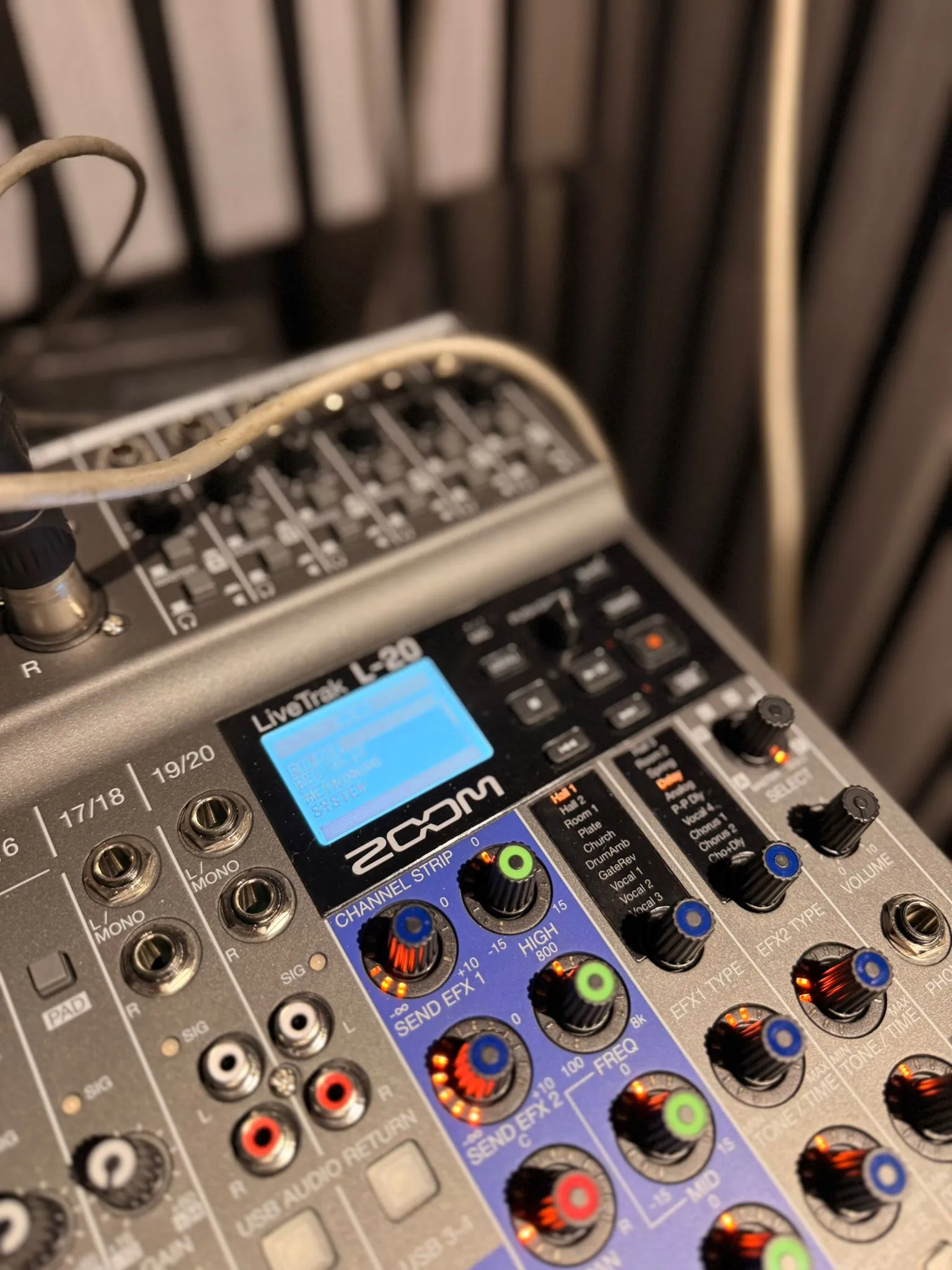
Multitrack recording is part of every session. All our equipment is lined into our Zoom LiveTrak mixer, so you can record directly, overdub included.
Before you play
An SD card is already inserted in the Zoom mixer.
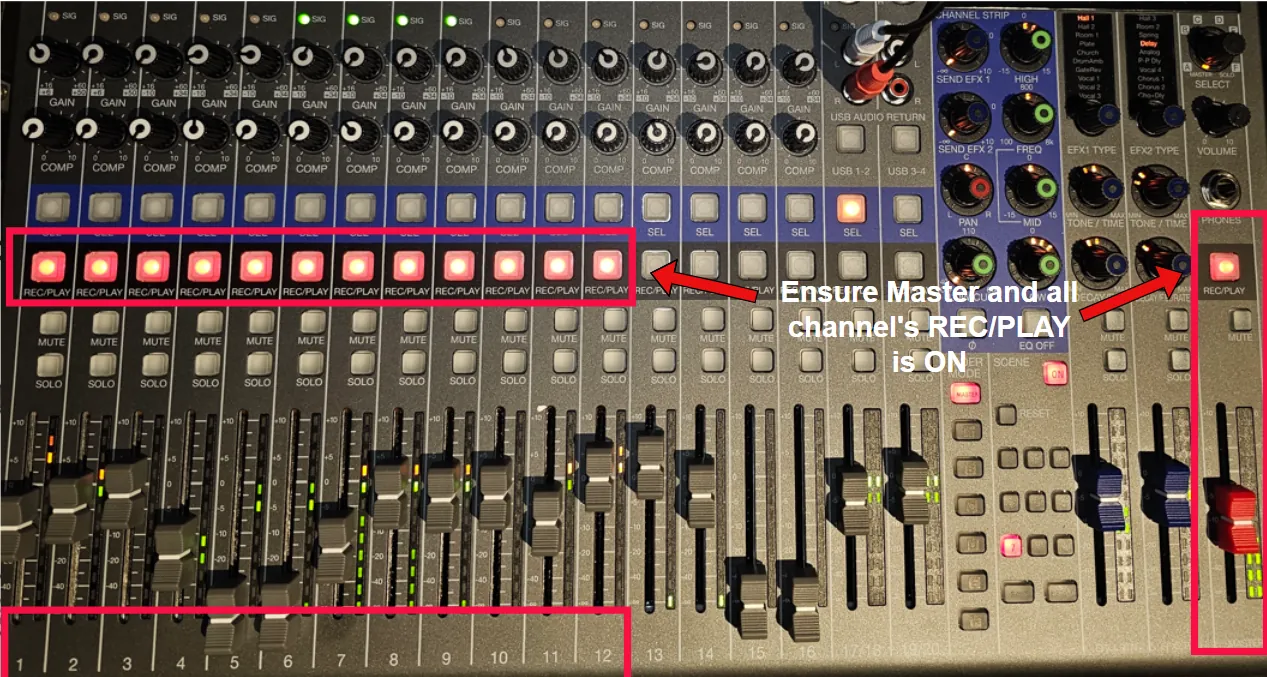
Plug in instruments and mics. Use the GAIN knob to set levels, checking the meters sit in the green/orange range (around 0 dB).
Press the RECORD (red circle) button on each channel you want to record. Make sure channels 1–12 and the Master Fader are armed.
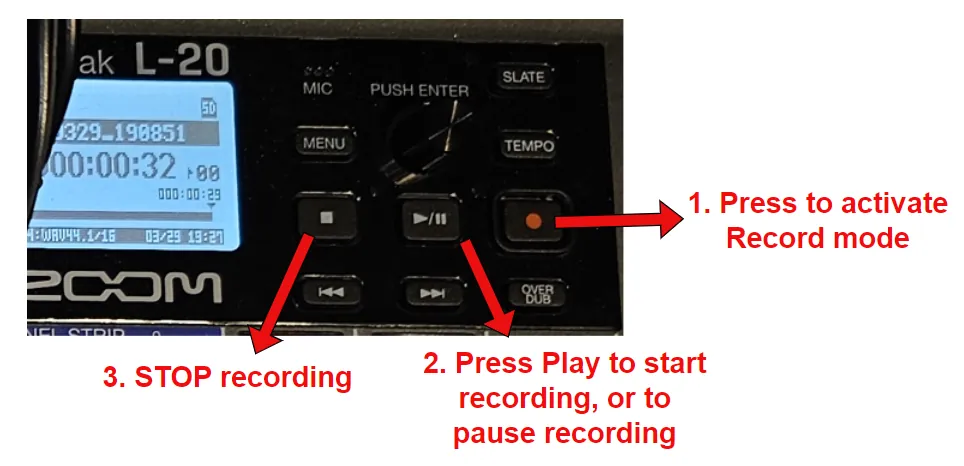
Press the master RECORD button, then press PLAY.
Press the STOP button.
After your jam
Recordings are saved to the SD card. A multi-function card reader is available in the studio.
Option 1
Option 2
MASTER.WAV. It's smaller and includes the mixer's effects. Faster and easier.Video tutorial